
VITURE Pro XR/AR Glasses, 135" 120Hz 1000Nits Display, Harman Audio, Myopia Adjustments, Electrochromic Film, for iPhone 17/16/15/Android/Mac/PC/Steam Deck, First-Ever XR Experience for Switch 2
VITURE Pro XR/AR Glasses, 135" 120Hz 1000Nits Display, Harman Audio, Myopia Adjustments, Electrochromic Film, for iPhone 17/16/15/Android/Mac/PC/Steam Deck, First-Ever XR Experience for Switch 2
BUNDLE & SAVE
Couldn't load pickup availability
- American express payment method
- Apple pay payment method
- Bancontact payment method
- Diners club payment method
- Discover payment method
- Google pay payment method
- Master payment method
- Mbway payment method
- Satispay payment method
- Shopify pay payment method
- Visa payment method
VITURE Pro XR/AR Glasses, 135" 120Hz 1000Nits Display, Harman Audio, Myopia Adjustments, Electrochromic Film, for iPhone 17/16/15/Android/Mac/PC/Steam Deck, First-Ever XR Experience for Switch 2
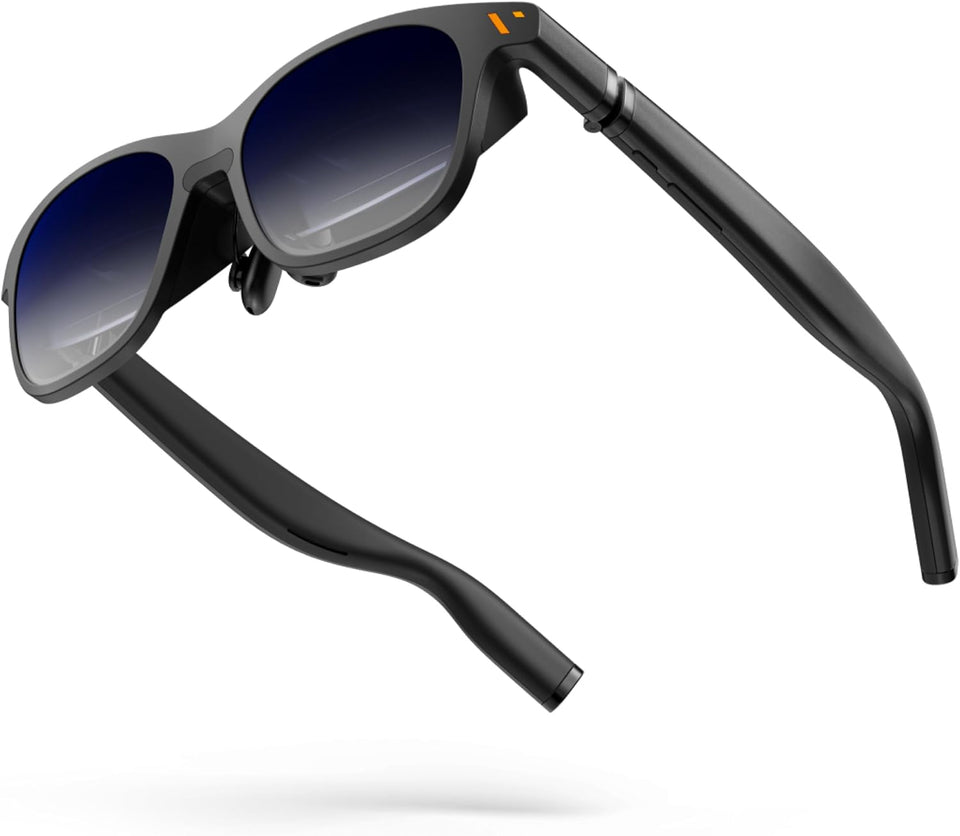
VITURE Pro XR Glasses
Your screen,
untethered.
A private 135-inch virtual display for the moments you want a bigger view. Enjoy 120Hz visuals, audio tuned with HARMAN, and electrochromic lenses in one wearable design.
Made for immersion
More room to see.
More ways to enjoy.
From a handheld game to a movie on your phone, VITURE Pro gives your content its own personal display.
Go big without a big screen.
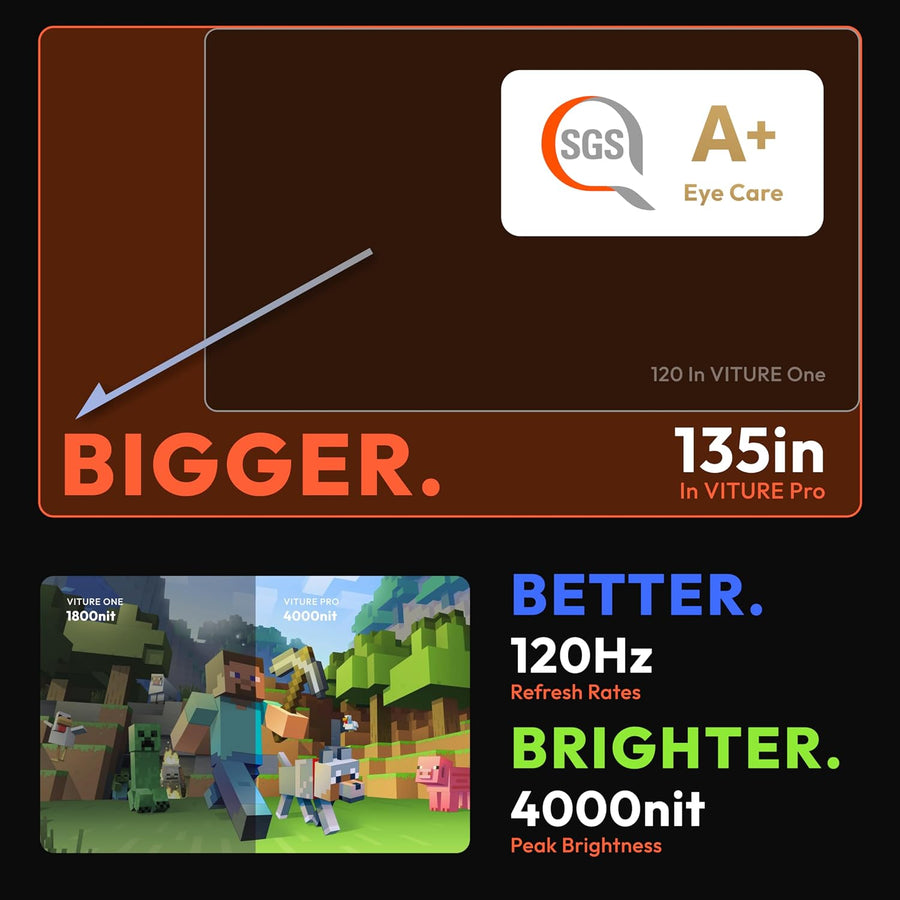
A 135-inch virtual image and Full HD Micro-OLED display make entertainment feel expansive, while 120Hz support keeps compatible content fluid.
Adjust your view.
Built-in myopia adjustment helps nearsighted wearers find a clearer image. Electrochromic film darkens the lenses when you want a more immersive view.
Hear the detail.
Integrated audio developed with HARMAN brings the soundtrack along, whether you are watching, playing, or working.
One pair. Many moments.
A front-row feeling, on your terms.
Settle in for a film, open a game on a compatible handheld, or bring a larger canvas to your laptop. The display lives in your line of sight, so your setup can stay compact.
- Immersive viewing with a 135-inch virtual screen
- One-touch electrochromic lens darkening
- SpaceWalker features on supported devices
A closer look
See the experience
from every angle.
Explore the lens technology, on-screen controls, SpaceWalker features, and a bigger view for handheld gaming.
Select any image to view it larger.


Connect with confidence
Know your setup.
VITURE Pro works with USB-C devices that support video output. Some consoles and software features need extra hardware or an app.
Phones & computers
Connect to a compatible USB-C video-output device, including supported iPhone 15 and newer models, Android devices, Macs, and PCs.
Handheld gaming
Enjoy a larger view from compatible USB-C handhelds such as Steam Deck.
Nintendo Switch 2
Switch 2 requires a compatible dock for video output to XR glasses. VITURE's Pro Mobile Dock is a separate accessory.
SpaceWalker
VITURE's companion app unlocks supported multi-screen and spatial features. Available functions vary by platform.
Check that your device supports video over USB-C before purchase. HDMI devices and some consoles require an appropriate adapter or dock, sold separately.
Fit matters
Make the view yours.
For the clearest experience, start with your pupillary distance (IPD) and adjust the glasses for your eyes. If you are nearsighted, use the built-in adjustment to refine focus.
Good to know
Questions, answered.
Will VITURE Pro work with my phone?
Your phone needs to support video output over USB-C. Supported iPhone 15 and newer models and compatible Android phones can connect; check your phone's video-output capability before ordering.
Can I connect directly to Nintendo Switch 2?
No. Switch 2 needs a compatible dock to send video to XR glasses. The VITURE Pro Mobile Dock is a separate accessory for this setup.
Do I need the SpaceWalker app to use the glasses?
SpaceWalker is for additional supported features such as multi-screen viewing. Basic display use depends on a compatible video source; app features vary by device and operating system.
How do I check whether the glasses will fit my eyes?
VITURE Pro supports an IPD of 58–70 mm. If you do not know your IPD, have it measured by an eye-care professional. The glasses also include myopia adjustment for nearsighted users.